
My Total Wireless: Account App
Total WirelessCommunication
4.36.42K Reviews
- Version
- R31.0.0
- Installs
- 1.00M
- Age Rating
- Everyone
Screenshots

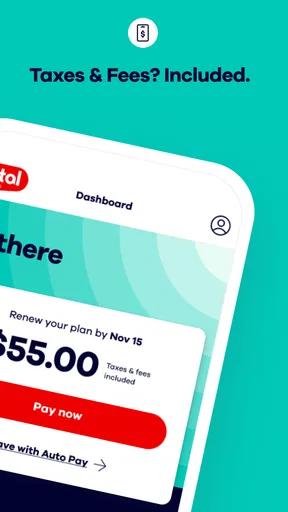
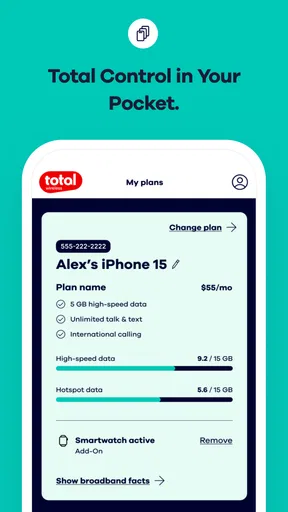
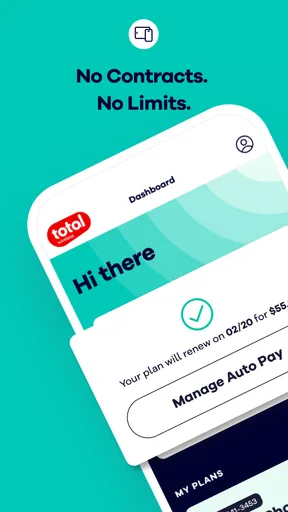
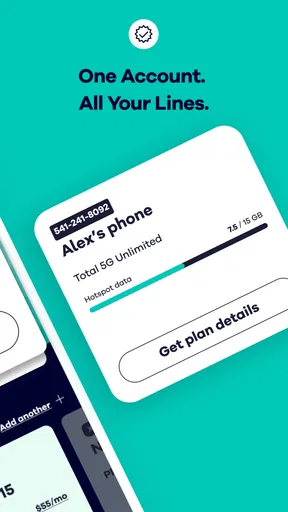
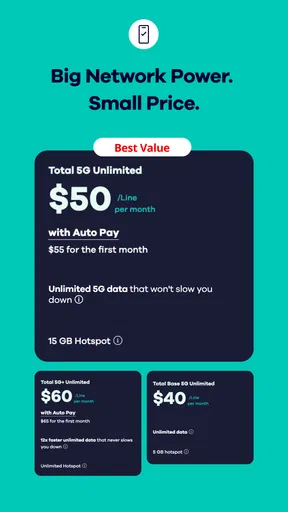
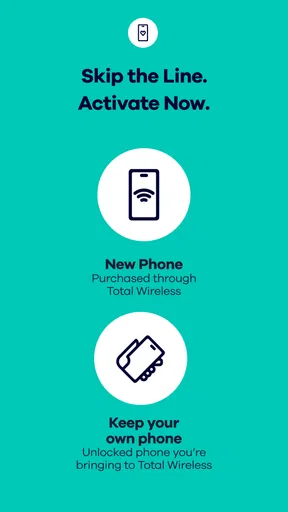
Our Review of My Total Wireless: Account App
 Analysis by Appyee
Managing a mobile plan is usually something I do only when a problem appears: a bill looks unfamiliar, data seems to disappear too quickly, or I need to check whether my line is still active. My Total Wireless is built for those moments, giving Total Wireless customers a dedicated place to handle account-related tasks instead of making them search through general phone settings or remember where they last found a carrier page.
I reviewed it as a communication app rather than treating it like another messaging tool. Its real effect is quieter: it can reduce the mental clutter around staying connected. When account details are easier to reach, I spend less time interrupting a call, a trip, or a work session to figure out a service question. That makes it useful for people who want their phone plan to stay in the background until they deliberately choose to deal with it.
The app is free, comes from Total Wireless, and sits in the Communication category. It is intended for Everyone, so its presentation is approachable rather than technical. Its average rating is 4.3 from around 35 thousand ratings, with more than 6 thousand written reviews, and it has passed 1 million installs. Those figures suggest that it has become a familiar companion for a substantial group of Total Wireless customers, although popularity alone does not make it the right choice for every phone user.
How My Total Wireless fits into everyday communication
I find the app most useful when I treat it as a dedicated place to begin an account-related task, rather than another communication feed to check throughout the day. That distinction helps me keep service questions separate from personal messages and calls. It also sets up the practical question that matters next: how to use that focused role without letting a routine check turn into a distraction.
A practical home for account conversations
The most useful way to think about this app is as a control point for a carrier relationship. It is not meant to replace texting, calling, email, or a social network. Instead, it supports the conditions that make those activities possible: knowing what is happening with your mobile service, checking account information when needed, and dealing with routine plan concerns without turning them into a larger interruption.
That distinction matters. Many people install communication apps because they expect constant activity, alerts, or conversations. Here, the better experience comes from using the app intentionally. I would open it when I have a specific account question, complete the task, and leave. That shorter rhythm is a strength because the app does not need to become another place competing for my attention.
A realistic example is a busy afternoon when I am expecting an important call but notice something unusual about my service. Rather than repeatedly guessing whether the issue is with the phone, the network, or the account, I can use the carrier’s own app as the first place to orient myself. Even when the answer requires another step, having one recognizable starting point is less disruptive than jumping between unrelated tools.
This is also helpful for households where one person manages mobile service for several people. The account holder can approach plan administration as a separate task instead of mixing it into family conversations. That separation improves clarity: a discussion about who needs service is not automatically tangled with the process of checking the account itself.
What the conversation flow feels like
The app’s flow is best when I arrive with a clear purpose. I do not see it as something to browse casually. The useful sequence is closer to opening the app, identifying the account issue, reviewing the relevant information, and deciding whether I can finish immediately or need to continue through Total Wireless support channels.
That makes the experience different from a general carrier website viewed in a browser. A browser can be convenient when I am already using a computer, but a mobile account app is more natural when the question arises beside the phone that uses the service. I do not have to change context as dramatically. The trade-off is that the app is tied closely to the Total Wireless account experience, so its value is strongest for existing customers rather than people comparing carriers.
I also appreciate the psychological clarity of keeping account work in one place. If I use a browser, email, phone settings, and old messages at the same time, I can lose track of which information is current. A dedicated Total Wireless app gives me a more obvious starting point. It does not eliminate every possible complication, but it reduces the number of places I need to check before I understand what I am dealing with.
One practical habit makes the app more useful: I would open it before contacting support when the problem concerns the account itself. That gives me a chance to collect the basic context first. If I still need help, I can describe the issue more clearly instead of beginning with a vague statement that the phone is “not working.” This is a small workflow improvement, but it can make a support conversation shorter and less frustrating.
Where it saves attention, and where it can cost it
The main attention benefit is containment. Account maintenance can easily spill into the rest of the day because it involves uncertainty. I may wonder whether I should wait, restart the phone, search online, or contact the carrier. A dedicated account app gives that uncertainty a defined place. I can check it during a planned pause rather than letting the question follow me through unrelated conversations.
That benefit depends on resisting the temptation to treat every service message as urgent. A carrier app is useful because it connects to something important, but that same importance can make notifications feel more pressing than they deserve. My approach would be to keep account checks purposeful and avoid opening the app simply because I am already looking at my phone. The goal is not more phone time; it is fewer unresolved interruptions.
There is another attention cost: an app can create the impression that every problem should be solvable inside the app. In practice, mobile service issues can involve the device, coverage, account status, payment arrangements, or a wider network situation. If the app does not immediately settle the question, repeatedly refreshing or retracing the same screens will not necessarily help. I would use it as an orientation tool, then move to the appropriate support route when the issue goes beyond account management.
This is where it compares favorably with a collection of unrelated alternatives but less favorably with a full desktop support experience. A browser may offer more room for reading detailed help content, while the app is better suited to quick checks made from the phone itself. The right choice depends on the task: use the app for a focused mobile account interaction, and use a larger screen or direct support when the situation needs careful comparison or explanation.
Boundaries between service and personal life
Good communication is partly about knowing what deserves an immediate response. My Total Wireless can help create a boundary between personal conversations and service administration because it gives the latter a dedicated channel. I do not need to interrupt a family discussion to hunt through a general search result, and I do not need to turn a work break into a long investigation just to locate the starting point for an account question.
I would especially recommend that people decide in advance when they will check the app. A quick review during a planned administrative moment is less intrusive than reacting to every concern as soon as it appears. This approach is valuable for anyone who already feels overloaded by notifications and account reminders. The app works best as a tool I consult, not as a constant presence in my day.
There is also a boundary around expectations. Because it is provided by Total Wireless, I would choose it for managing Total Wireless service, not as a universal dashboard for other carriers or unrelated communication accounts. Someone who changes providers frequently, manages several different networks, or wants one neutral app for all digital services may find a general account-management approach more convenient.
Likewise, people who rarely need to check their plan may not gain much from installing another app. If the carrier’s existing web access already fits their routine and they do not mind using a browser, the dedicated app may feel unnecessary. I see its strongest case for customers who handle their service from the phone, want a recognizable place to begin, or prefer separating carrier tasks from ordinary web browsing.
Version, compatibility, and the decision to install
The current version is R31.0.0, and the app supports Android 7.0 or later. That gives it a broad reach across Android phones, including devices that are not running the newest operating system. I would still check the phone’s software compatibility before planning around it, particularly if the device is older or has been kept on the same system version for a long time.
Because the app is free, the decision is mainly about usefulness and space rather than purchase risk. I would install it if I were an active Total Wireless customer who prefers handling service from a phone. The free price also makes it reasonable to test without committing financially, then remove it if my account routine is already simple enough without a dedicated tool.
The age rating of Everyone is reassuring for households where the phone may be shared or where a family member helps manage service. Still, an accessible rating should not be confused with universal usefulness. The app’s relevance comes from the Total Wireless account relationship. A person who is only researching carriers, or who expects a messaging platform, should skip it because it solves a different problem.
Three habits that make the app more useful
First, I would use it as a pre-support checklist. Before calling or seeking help, I would open the account app, identify whether the concern is tied to the plan or the device, and note the wording of any message I need to explain. This avoids the common mistake of treating every service problem as a mysterious phone failure.
Second, I would separate routine checks from urgent troubleshooting. If the phone still works and I am simply reviewing my service, I would handle the task during a calm moment. If communication has stopped, I would not spend an extended period exploring the app while missing important calls. The app can be the first check, but it should not become a substitute for faster assistance when the situation is time-sensitive.
Third, I would make it part of a household handoff. If one person normally manages the account but another person uses the line, the account holder can check the relevant information before explaining the situation. That creates a cleaner conversation than asking the other person to troubleshoot blindly. It is a small but meaningful way to reduce confusion between “the phone is behaving strangely” and “the service account needs attention.”
A fourth habit is to close the loop after a change or support interaction. I would return to the app only when there is a concrete reason to verify the account’s current state, rather than repeatedly checking out of anxiety. This protects the boundary the app is capable of creating: service administration has a beginning and an end.
Who should use it, and who should look elsewhere
I think My Total Wireless is a good fit for an existing Total Wireless customer who wants a direct mobile route to account management. It is particularly suitable for people who dislike searching through browser tabs, manage service for a family member, or want to resolve basic account questions without mixing them into their normal communication apps.
It is less suitable for someone looking for chat, group conversations, voice calling, or a unified dashboard across several providers. It is also not the first choice for a user who prefers doing all account administration on a desktop and rarely needs to check service while away from a computer. In those cases, the app may add another place to maintain without changing the person’s routine in a meaningful way.
My overall verdict is positive but deliberately focused. This is not an app I would recommend because it promises to make communication more exciting; I would recommend it because it can make the background work of staying connected more orderly. Its strongest contribution is clarity: one place to begin, a more contained account task, and less pressure to interrupt personal conversations whenever a service question appears.
The rating of 4.3 and the large installed base show that many users find that role worthwhile, while the free access lowers the barrier to trying it. My advice is simple: if your mobile service is with Total Wireless and you want account tasks to happen on your phone, install it and build a restrained checking habit around it. If you want a general communication platform or a tool that manages every carrier in one place, choose something designed for that instead.
My final recommendation: use My Total Wireless as a quiet administrative tool, not another source of digital noise. It earns its place when it helps you answer a service question, protect your attention, and return to the conversation or activity that mattered in the first place.
Verdict
Strengths of My Total Wireless: Account App
- Check data, talk, and text balances from your phone.
- Manage Auto-Refill settings without calling customer support.
- Review billing details and payment history in one place.
- Access account information while traveling or away from a computer.
- Receive service and account notifications directly in the app.
Limitations of My Total Wireless: Account App
- Some account changes may still require contacting customer support.
- App usefulness depends on having an active Total Wireless account.
- Login or verification issues can interrupt access to account details.
- Balance information may take time to reflect after plan changes.
- Features and layout may vary after app updates or service changes.
Similar Picks in This Category
View All
Google Messages
Google LLC4.6

Gmail
Google LLC4.1

Google Meet
Google LLC4.4

Google Chrome
Google LLC4.1

WhatsApp Messenger
WhatsApp LLC4.6

Carrier Services
Google LLC4.2
Frequently Asked Questions
What is the My Total Wireless: Account app used for?
My Total Wireless: Account is designed to help Total Wireless customers manage their mobile service from an Android or iOS device. After signing in, you can generally review your plan, monitor data usage, check account details, view billing information, make payments, manage Auto Pay, and access support. The exact options may vary depending on your plan, account status, device, and current Total Wireless services.
Can I pay my Total Wireless bill and manage Auto Pay through the app?
Yes, the app is intended to provide convenient access to payment and billing tools. Users can typically make a one-time payment, review upcoming charges, and manage Auto Pay when the feature is available for their account. Before confirming a transaction, carefully check the selected payment method, payment amount, and renewal date. A stable internet connection is recommended so the payment status can update correctly.
Can I check my data usage and plan benefits in My Total Wireless?
The app normally allows customers to review important service information, including remaining high-speed data, plan details, renewal timing, and other included benefits. Usage figures may not update instantly, so they should be treated as an estimate rather than a real-time measurement. If the information looks delayed or inconsistent, close and reopen the app, verify your connection, and compare the details with your Total Wireless account online.
Do I need a Total Wireless account to use the application?
Most account-management features require an active Total Wireless account and valid sign-in credentials. New customers may need to create an account or activate service before they can access all functions. Depending on the app version, you may also be asked to verify your identity using an email address, phone number, security code, or other account information. Keep these details private and avoid signing in on shared devices.
Is the My Total Wireless app free, and what should I check before downloading it?
The application is generally free to download, although using mobile data or purchasing a Total Wireless plan still involves your carrier charges and service costs. Before installing it, confirm that the publisher is the official Total Wireless provider, check the required Android or iOS version, and review the permissions and privacy information. Downloading through the official Google Play Store or Apple App Store is the safest option.
